Dynamic F1 Logo Lightbox
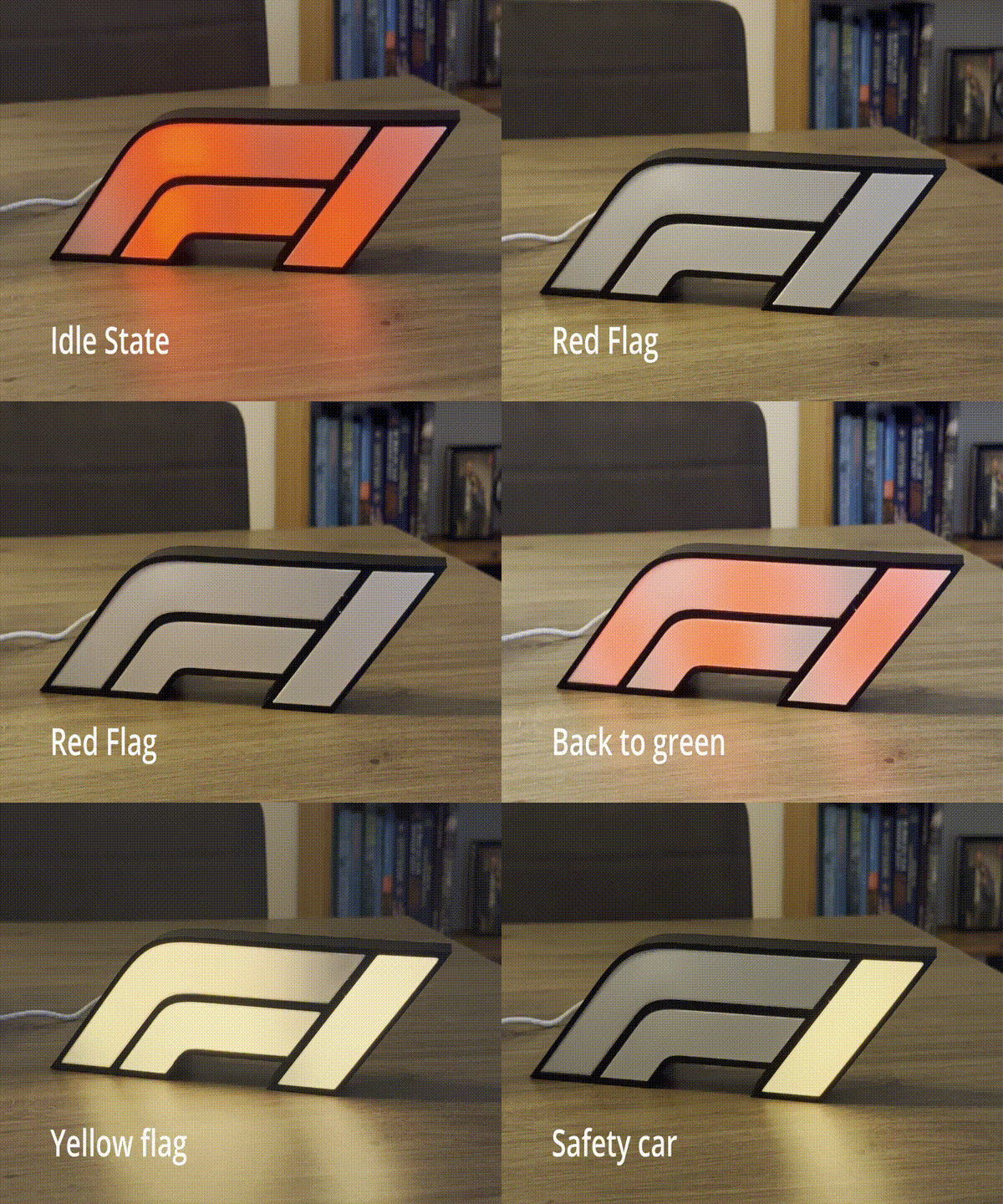
With the F1 season coming to a close, I spent my free time last week on a fun side project: a dynamic F1 lightbox that reacts to live race events. When there’s a safety car, it flashes yellow. Red flag? Solid red. Green flag? You get the idea.
It’s a nice mix of 3D printing, electronics, and home automation - the kind of project where you actually get to hold something at the end instead of just staring at code.
Designing the lightbox
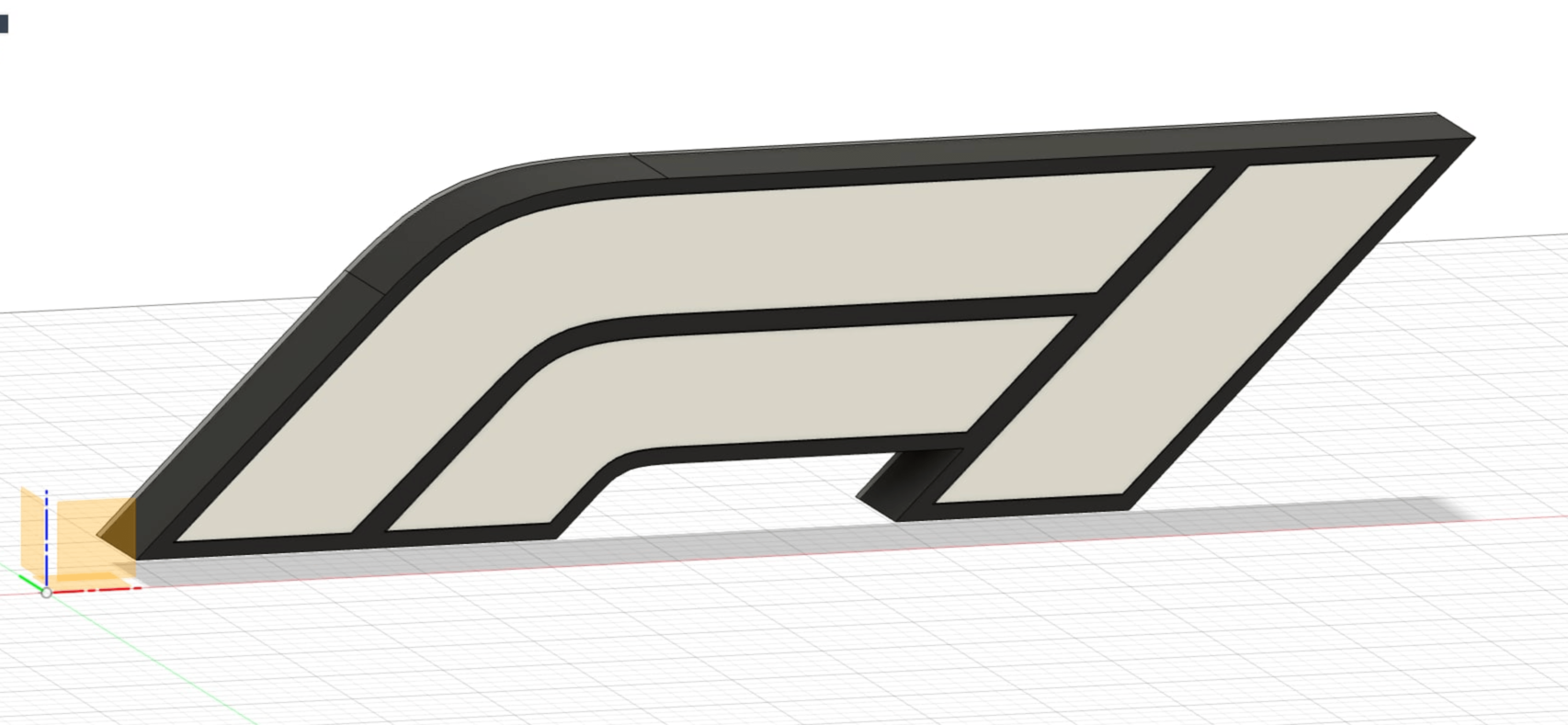
I modeled the lightbox in Fusion 360, splitting it into five parts: the main body with the F1 logo cutout, a backplate to mount the LEDs, a translucent front plate for diffusion, and a small enclosure for the ESP32. The 3D models are available on MakerWorld.
Separating the design this way made printing manageable and let me use different materials where it mattered. The front plate needed to diffuse light evenly, so finding the right thickness took some experimentation.
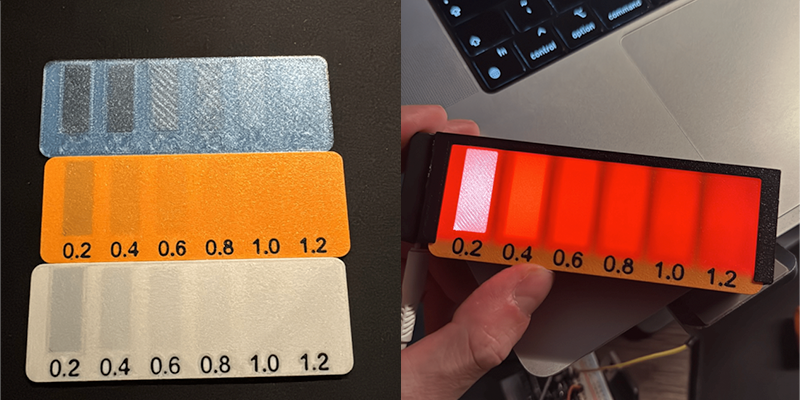
After a few test prints, I landed on 0.4mm (two layers) of matte white PLA. Thin enough to let light through, thick enough to hide the individual LEDs and create that smooth glow.
Printing and assembly
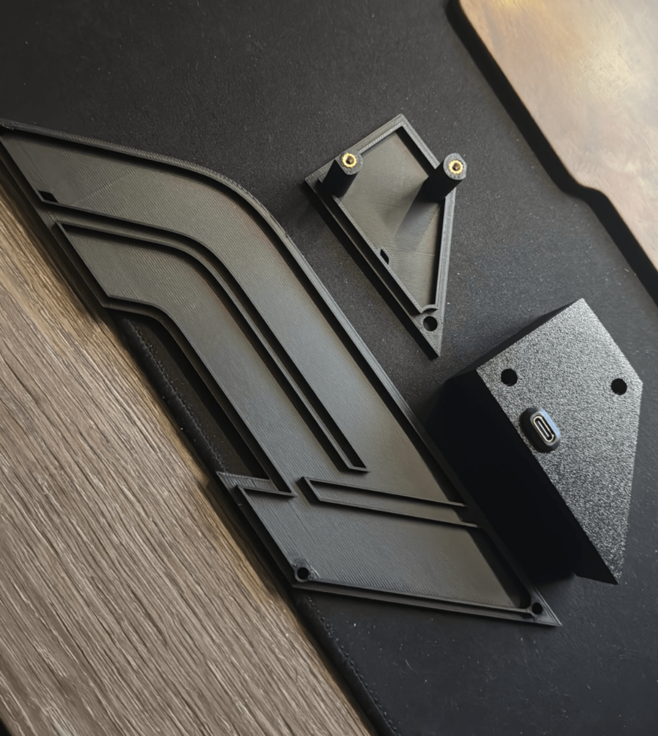
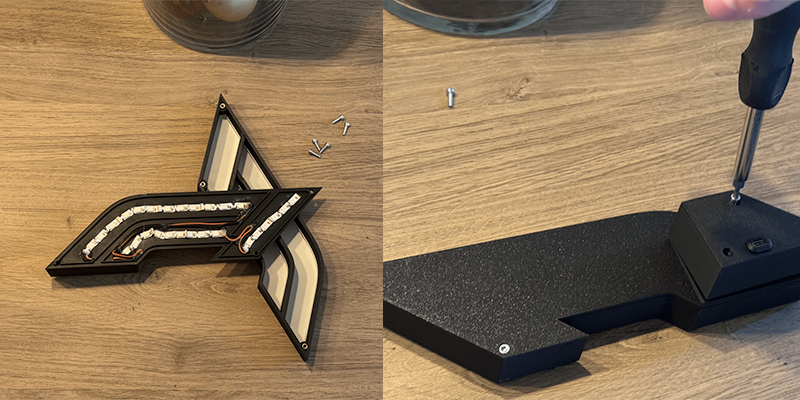
With the design finalized, I printed all the parts and assembled them using heated inserts and screws. This keeps things sturdy while still allowing disassembly if something needs fixing later.
Electronics
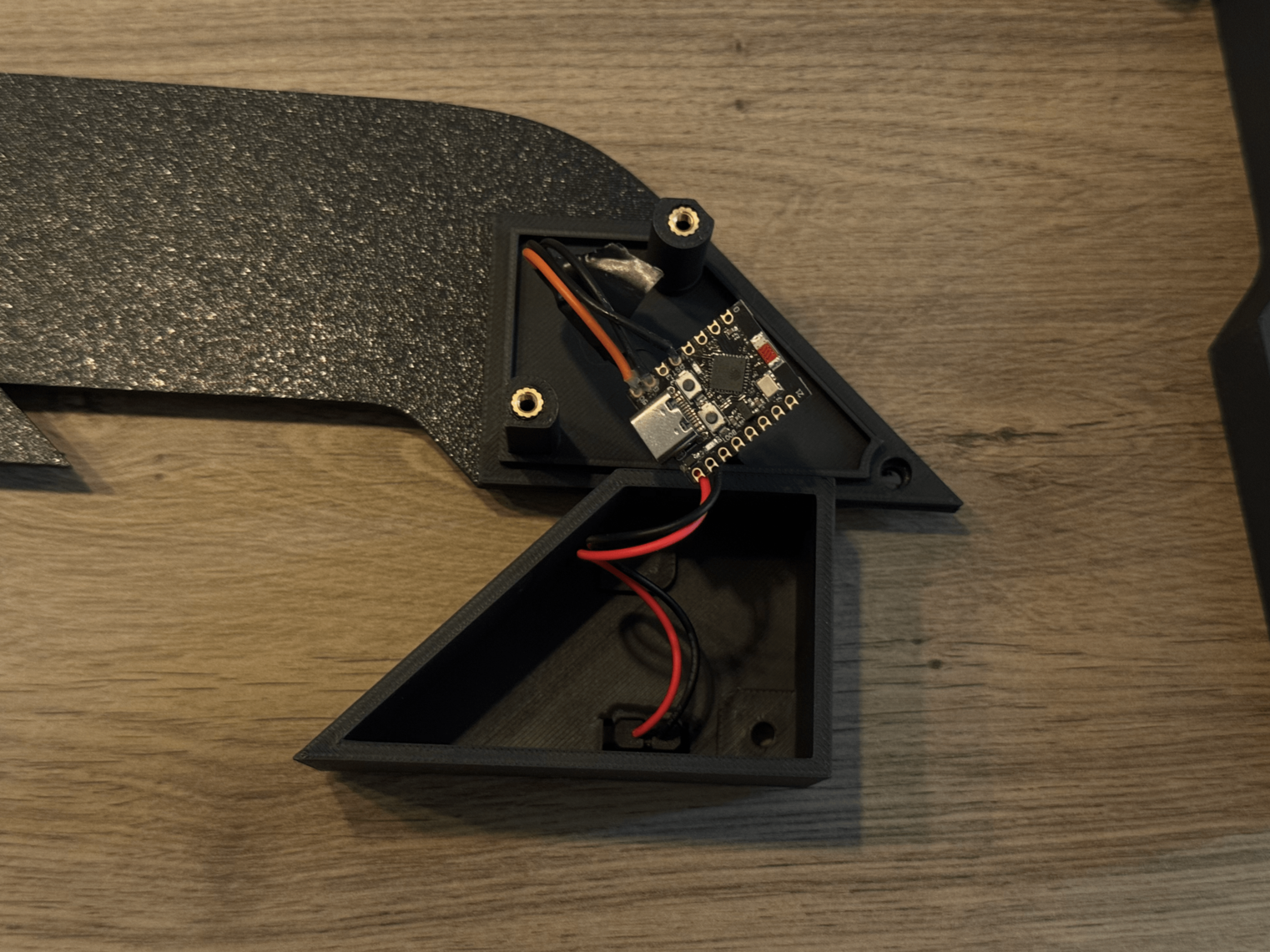
The electronics are minimal: an ESP32, a strip of WS2812b LEDs, and a USB-C port for power.
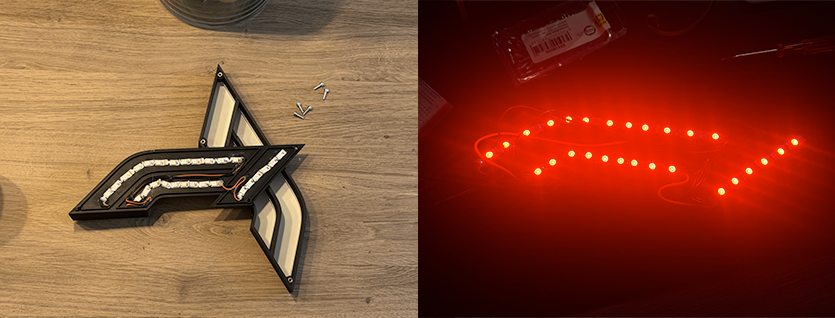
I routed the LED strip through the body following the F1 logo shape, connected the data line to GPIO 4 with a small resistor for protection, and wired everything to a single USB-C power input. The ESP32 and LEDs share the same 5V supply - simple and clean.
Making it dynamic
The software stack ties everything together: WLED on the ESP32, Home Assistant as the brain, and the F1 Sensor integration for live race data.
WLED handles the LED control. I set up three segments (one for each part of the F1 logo) and created presets for each race condition - green flag, yellow flag, red flag, safety car, VSC. Each preset has its own color and effect.
Home Assistant monitors the F1 sensor and triggers the appropriate WLED preset whenever the track status changes. The automation is straightforward: when the sensor state updates, call the matching preset. Since Home Assistant is the brain, the same approach works with any lights it controls - Philips Hue bulbs, other smart lights, or even your entire room setup if you want full immersion.
You can find my complete automation code in this gist.
Wrapping up
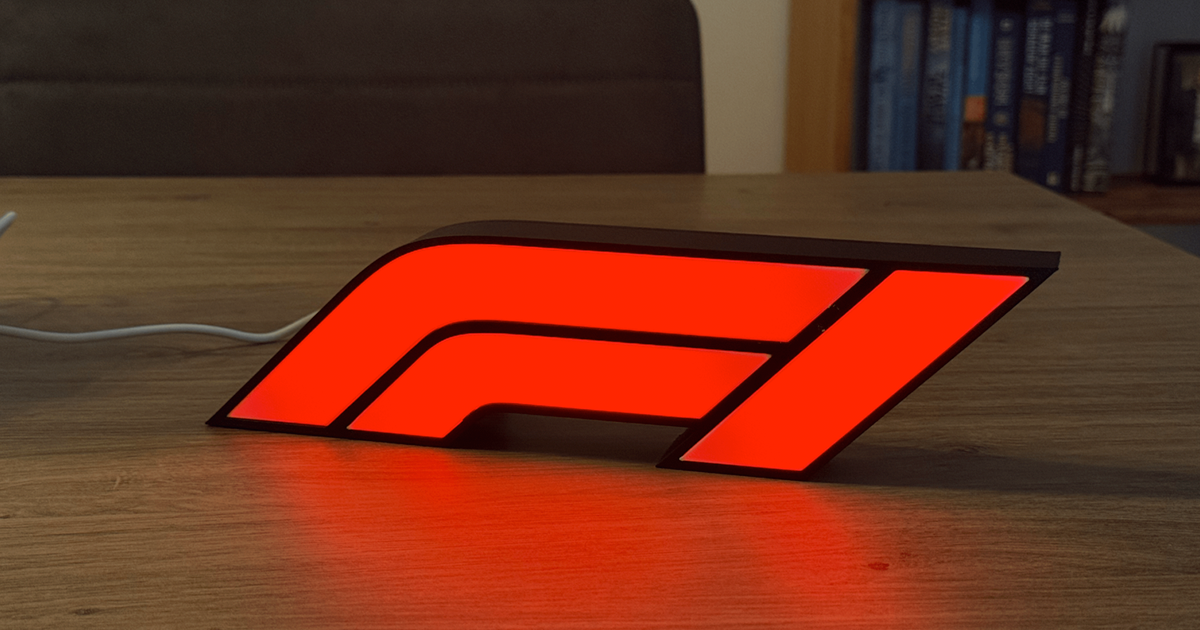
This was a satisfying project. It’s nice to switch up the usual coding work with something physical - designing in CAD, waiting for prints, soldering wires. Especially the electronics side brought back memories of tinkering as a kid.
